TIPS for Loading MITS 4K BASIC 3.2
SHARE |
|

|
by Bill Degnan - 11/25/2011 08:51 |
|
Here is a supplement to the directions from solivant.com/altair_bootloaders/
Here are a few pointers that will help. 1. You need free RAM available in both 0000 through 3FFF. Make sure you have a RAM card that allows you to use or turn on MWRITE so that you can toggle in the bootstrap loader using the front panel. 2. Set your terminal for 8/n/1 to toggle in the following 1st stage bootstrap loader into the Altair from 000 000 000 000: 000: 076 003 323 020 076 025 323 020 010: 041 256 017 061 032 000 333 020 020: 017 320 333 021 275 310 055 167 030: 300 351 013 000 (page 99 of the MITS BASIC manual) 3. From TeraTerm set the character and line transmit delay to 32 msec/char (per Dan Roganti). This setting is found in the setup menu's serial port settings area. This will slow down the download rate, but it will also ensure the data is transferred error-free. The delay may be necessary if you are using a modern serial adapter that buffers the transmission not necessarily a 2sio card thing. 4. Your code is toggled in and tested. Examine 000 000 000 000 (all switches down). If OK, then raise two switches, A11 and A10, (these have a special job called sense switches). Toggle RUN down (I find I don't need to reset first). The lights will change and the computer will now waiting for a "tape" to be sent to it. From TeraTerm File menu send the "tape" file 4k BASIC with bootloader as follows: Open the Send File command from within the File menu. Check "binary." Locate the 4K BASIC file you just downloaded to your hard drive and click "Open". A dialog box will pop up to display the progress of the download. Watch the lights on the computer. At about byte 1300 or so of the download note that the lights on the front of the Altair will change. If at this point the terminal sends a long string of MMMMM characters to the screen, this means that the RAM was not writable, not working, or not present. Stop the process and resolve. On the bright side, if you see the MMMM characters on your terminal you at least know the 2SIO card is working. 5. The solivant.com directions do not tell this: After the last byte of 4K BASIC has been sent, AND if you used the 32 msec delay, the system may freeze for 15 seconds or so while the data stream completes. Watch after this period for the lights on the front panel to change. THEN you'll see a partially garbled MEMORY SIZE? message. (If the lights change but nothing appears on your screen try pressing RUN. If that fails, check 0000 - 2000 to see what's there and if something downloaded at all.) 6. Change the serial communications settings to 7/n/1 to clean up the bad characters, have fun! See solivant.com for more info. 7. If at any time you want to reset BASIC, hit STOP/Reset/RUN to return to the OK prompt. Reply |
|
Resources:

Popular Topics and FAQs
Past Issues:
Before we switched over to a blog format, past page archives here:
Vintage Computer Festival East 3.0 June 2006
Commodore B Series Prototypes July 2006
VOLSCAN - The first desktop computer with a GUI? Oct 2006
ROBOTS! - Will Robots Take Over? Nov 2006
Magnavox Mystery - a Computer, or? Jan 2007
The 1973 Williams Paddle Ball Arcade Computer Game Feb 2007
The Sperry UNIVAC 1219 Military Computer May 2007
VCF East 2007 - PET 30th Anniversary June/July 2007
The Electronic Brain August 2007
Community Memory and The People's Computer Company October 2007
Charles Babbage's Calculating Machine December 2007
Vintage Computing - A 1983 Perspective February 2008
Laptops and Portables May 2008
From Giant Brains to Hobby Computers - 1957 to 1977 August 2008
Historic Computer Magazines November 2008
World's Smallest Electronic Brain - Simon (1950) December 2008 - Feb 2009
Free Program Listings Spring 2009
Computer Music Summer 2009
Popular Electronics Jan/Feb 1975 - Altair 8800 Fall 2009
Early Microcomputer Mass Storage Summer 2010
PB1 EPROM 2716
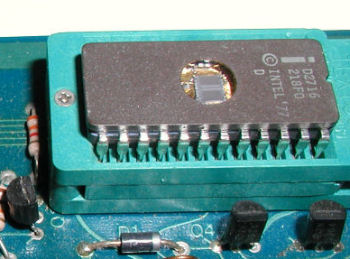
This image was selected at random from the archive. Click image for more photos and files from this set.